|
|
 GeoAstro Applets |
 Astronomy |
 Chaos Game |
 Java |
 Miscel- laneous |
Gnomon Applet

|
Check your time zone offset and the local time. |
 |
Click the applet first! |
 |
Enter gnomon
height, and press "Apply input". |
  |
You may use the keys "m", "d", "h", "n" to increase the month, date, hour, minute, or Shift key and "m", "d", "h", "n" to decrease month, date, hour, minute ! |
 |
Check a box to
set the direction of the shadow to East (azimuth 90°)
or West (azimuth 270°). |
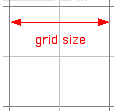 |
Select from
the "Details" menu to set the grid size. |
| Hold down Command key and click into the grid plane to change the gnomon position. |


|
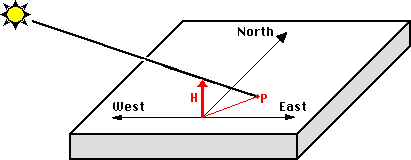
This type of sundial has a vertical rod (gnomon, height H) casting the shadow on a horizontal plane. The shadow of the gnomon's top (point P) is used to read the time (and the date).
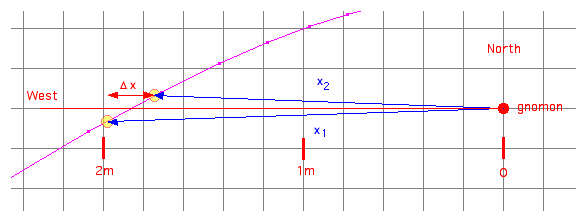
Mearuring the length
of the shadow near the prime vertical (azimuth
angle 90° or 270°) the geographic latitude can
be computed. h2
= arctan(H/x2), h1 = arctan(H/x1),


Please visit my GeoAstro Applet Collection
Last Modified: 2023, Oct 05 © 2011-2023 Juergen Giesen
|